
Ask
Ask questions about your product and agents in plain English and get answers, charts, and drill-downs back.
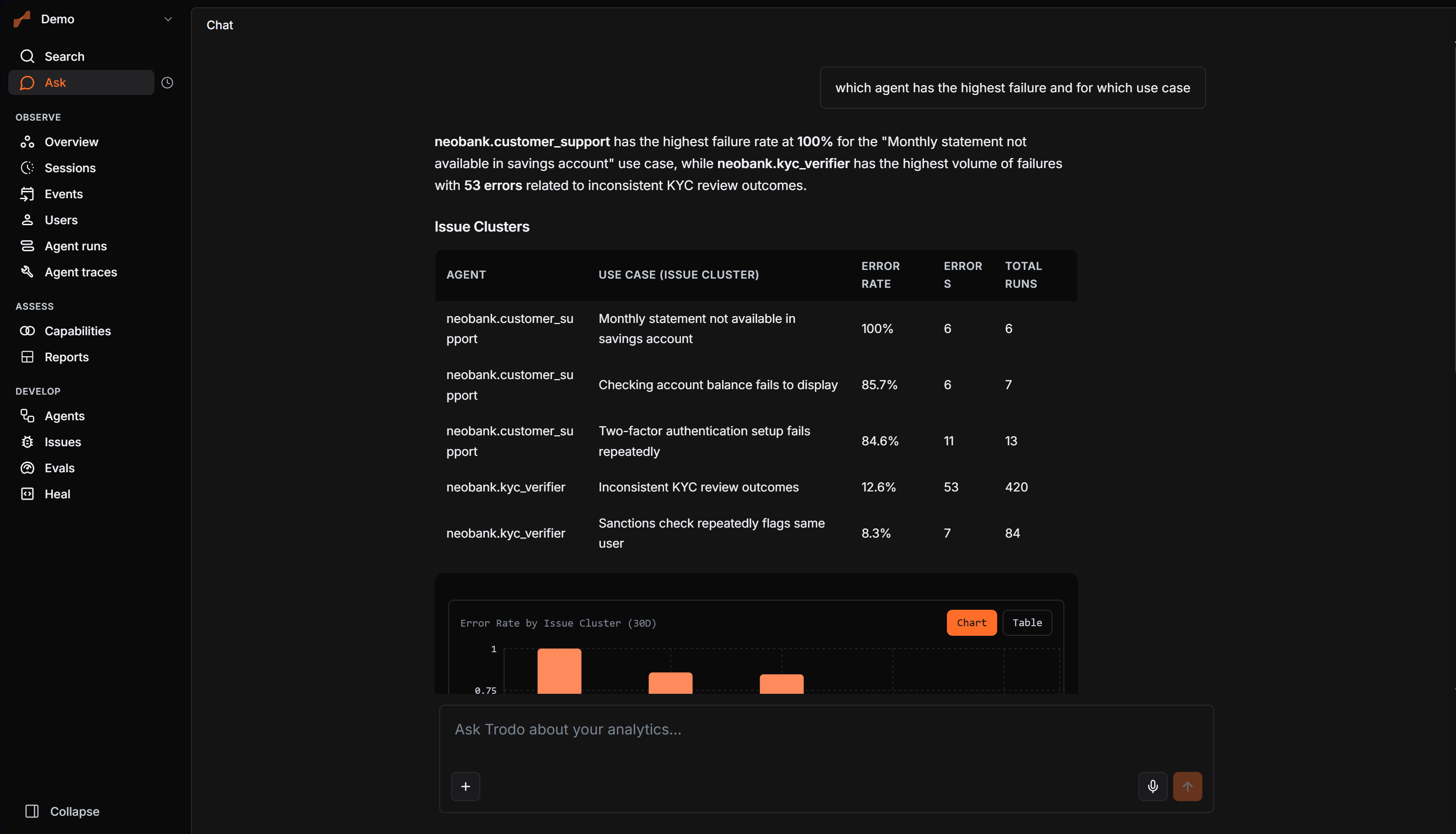
Ask is Trodo's natural-language analyst. Type a question in plain English and get a synthesized answer plus the charts, tables, and drill-downs behind it, drawn from everything Trodo has captured. It plans the right queries, runs them, and chains follow-ups until it can answer, so you don't build a report to get a number.
What you can ask about
Ask reaches across the whole platform:
Product analytics
Insights, funnels, retention, flows, segments, UTM attribution, anomalies.
Agents
Runs, traces, run metrics, token and cost breakdowns, tool analysis, failure modes.
Issues
Top failing tools, rage hotspots, issue details and timelines.
Evaluations
Evaluator results per run or span, and pending human grades.
Alerts
What the team is watching, which alerts are firing and when they last did — and new ones, built from the chat. See Alerts.
Users and groups
User profiles, journeys, find users (including by wallet), group profiles.
UX and health
Rage clicks, scroll depth, form abandonment, JS and network errors, web vitals.
What you get back
A plain-language answer, plus widgets where they help: charts (bar, line, area, pie, Sankey, heatmap, retention matrix), cards for users, runs, and issues, and links straight to an entity's detail view. Ask for a report and it builds a board and hands back a shareable link.
It runs as a chat with sessions, scoped to your team and your access, so follow-ups keep context and you only ever see data you can see.
A few things to try
- "What's my signup to activation funnel this month, by country?"
- "Which agents have the highest error rate this week, and why?"
- "Show me the journey for user@example.com."
- "Build me a board for agent reliability this quarter."
- "Alert me when checkout p95 latency goes above 5 seconds over 15 minutes, and send it to #eng-oncall."
Creating alerts from the chat
Ask for an alert in plain words and Ask proposes one as a card that is the alert form — scope, measure, aggregation, filters, threshold, window and message, all prefilled from what you said and all editable. You choose where it goes on the card: a Slack channel from your connected workspace (or connect Slack right there if the team has none), or a webhook. Nothing exists until you approve; approving creates the alert, switched on if you asked for that, with a link to it and an on/off control right in the chat.
Ask reads your alerts too, when a question calls for it — "has the checkout alert fired this week?" comes back with its state, its last value and its recent fires, and a finding that lands inside a window an alert fired in will say so.