
Your first eval
From a template to verdicts on live traffic: pick, adapt, test on real traces, turn on, read the results.
This walks through one eval end to end: Answers the question, a judge that scores whether each run's answer addresses what the user asked. It takes a few minutes. Everything after it (Triage, Semantic checks, self-improving) builds on the same five moves.
You need an agent that is already sending traces, and a model provider added in Settings → Models for the judge to run on.
Open New eval
Go to Evals and click New eval. A pop-up opens with every template, grouped by what they check, and a search at the top: type hallucination, tool errors, frustration, JSON.
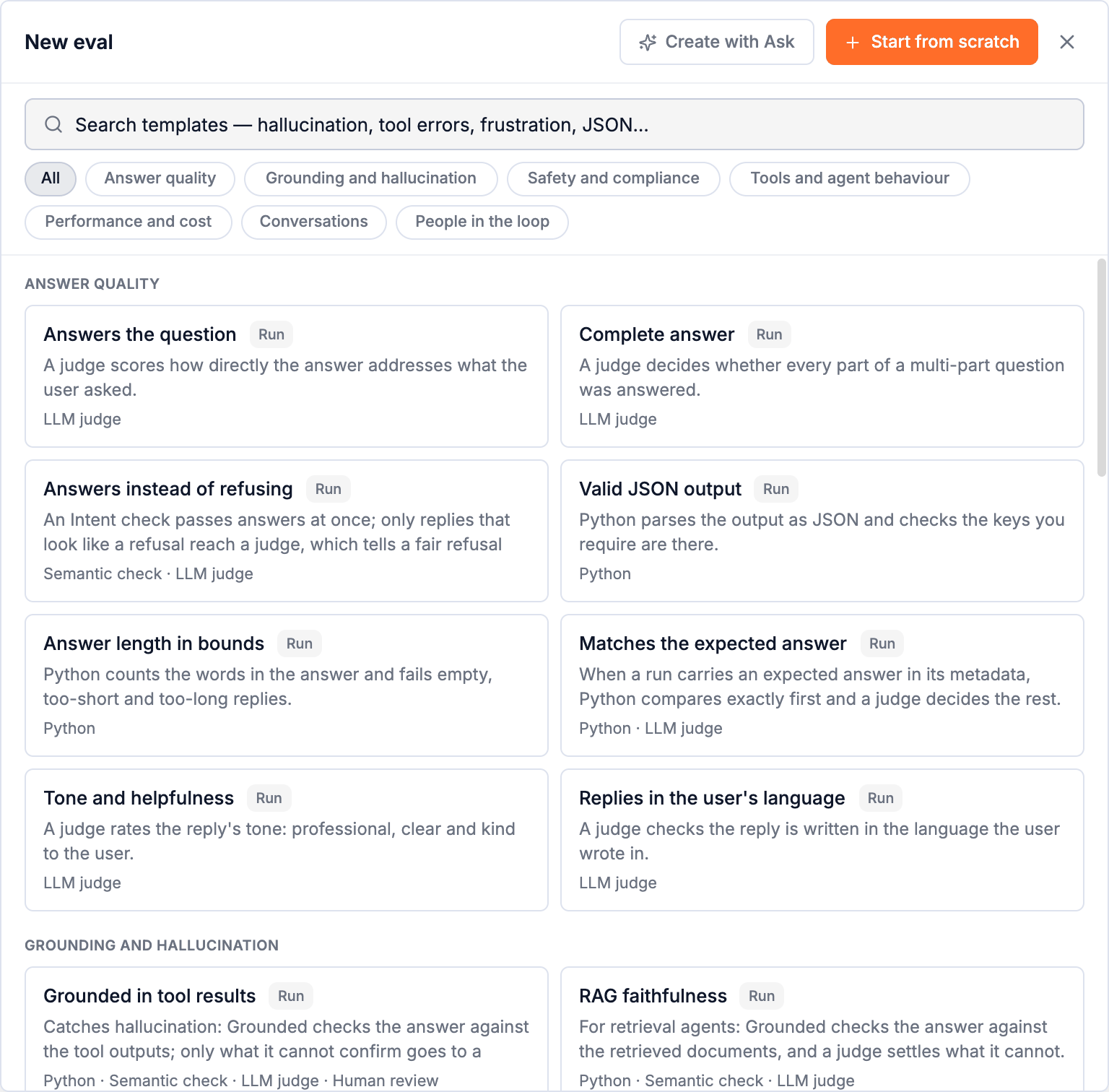
Pick Answers the question. You could also Start from scratch, or Create with Lucid and describe what you want in your own words. See Evals with Lucid.
Adapt it
The create page opens filled in from the template: its name, what it scores (a Run), and its one step. The box at the top says when to use it and what to change for your agent.
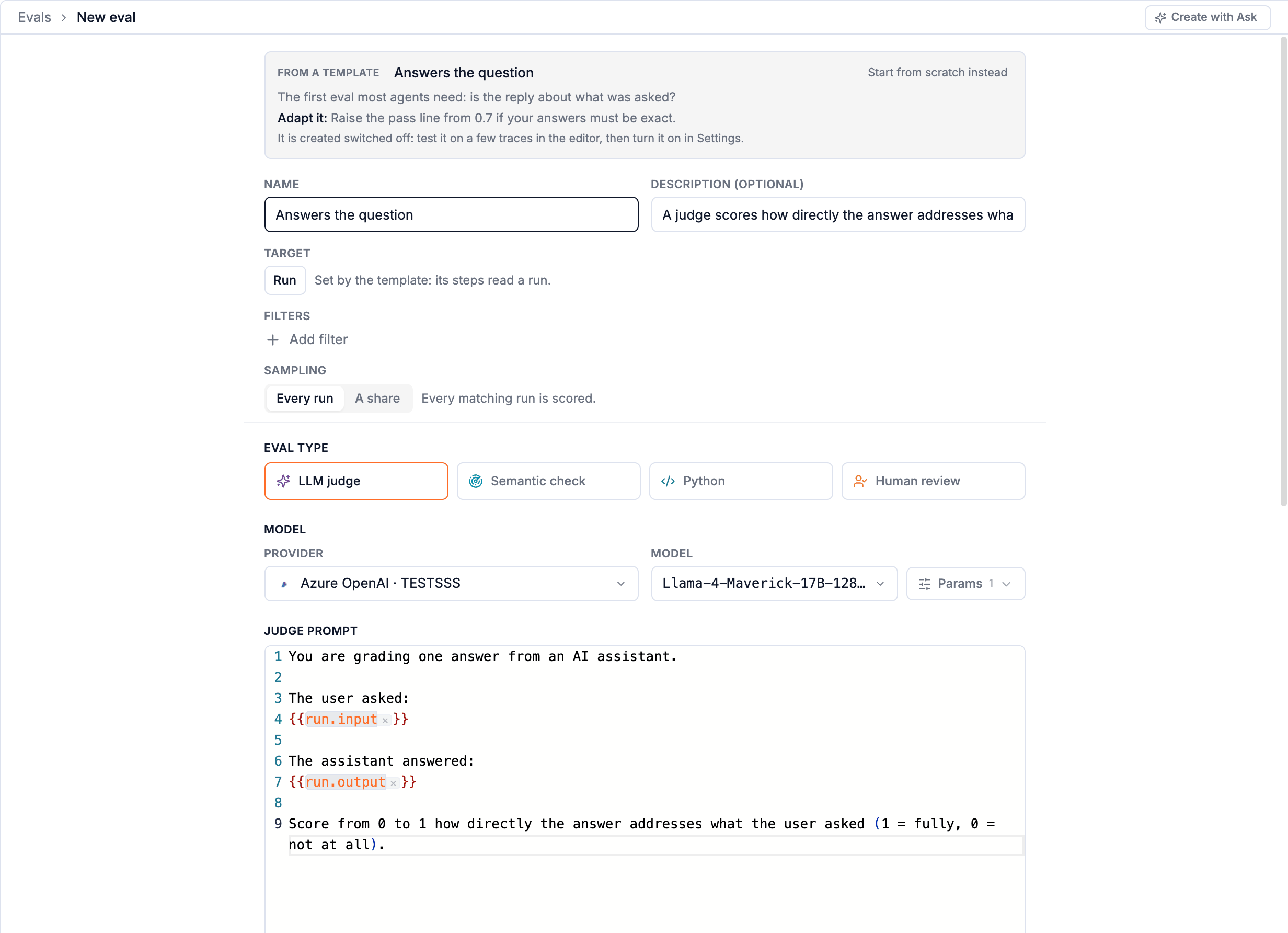
This template is Simple: one step, plus a rule for which answers pass. You edit it right here:
- Filters: leave empty to score every agent, or add
Agent name is support-botto score one. - Model: the judge runs on your provider key. Trodo picks the provider you used last; change it if you like.
- Judge prompt:
{{run.input}}and{{run.output}}are filled in from each run. Click a field in the list below the prompt to insert another. - Decision: Passes when the score is from 0.7 to 1. Raise it if your answers must be exact.
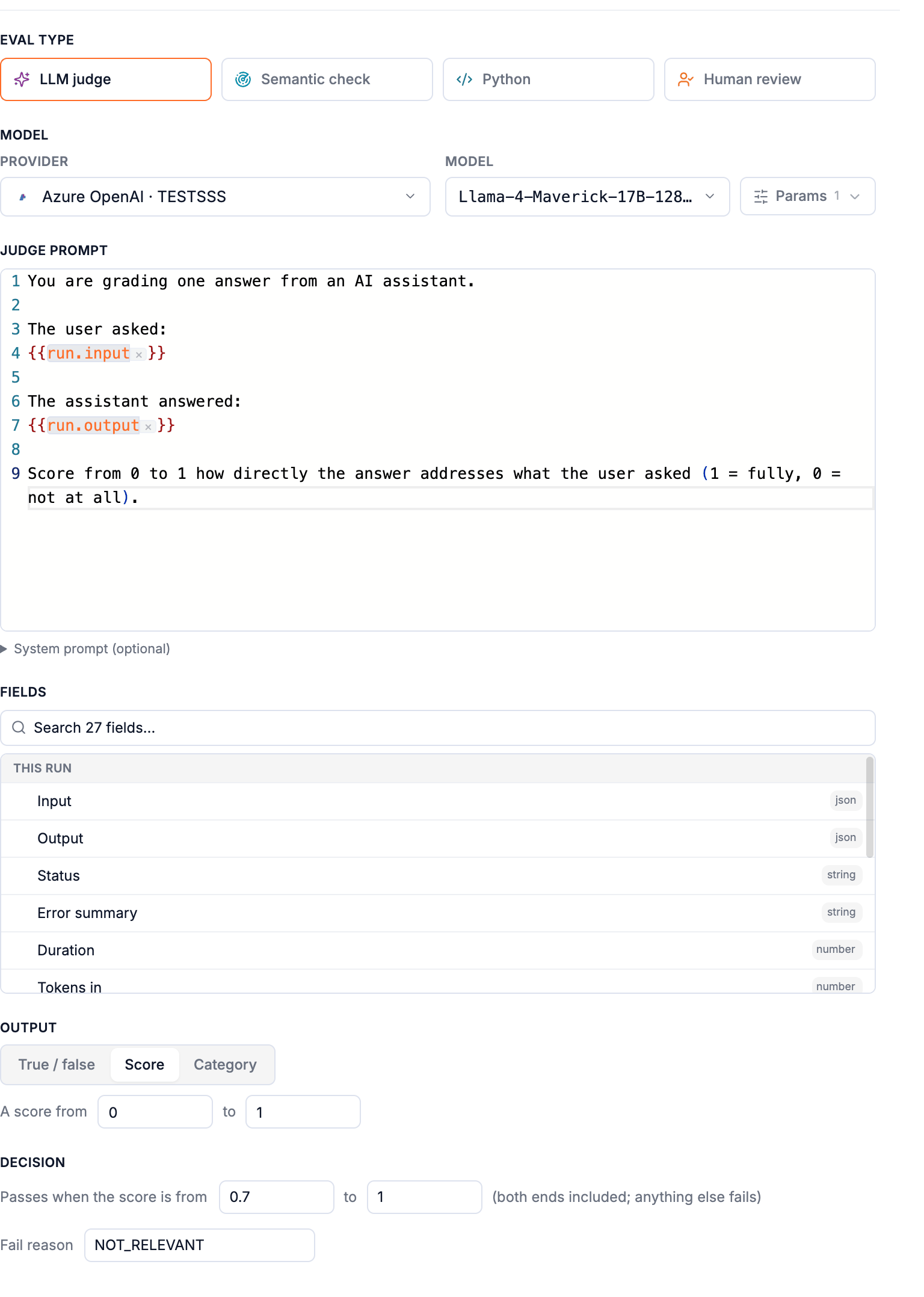
Click Create and open. An eval made from a template starts switched off: nothing is scored until you turn it on.
Test it on real traces
In the editor, click Test. Pick a recent run on the left and Run the whole eval. You see every step, what it answered, where it went, and the verdict, on a real trace, before the eval scores anything.
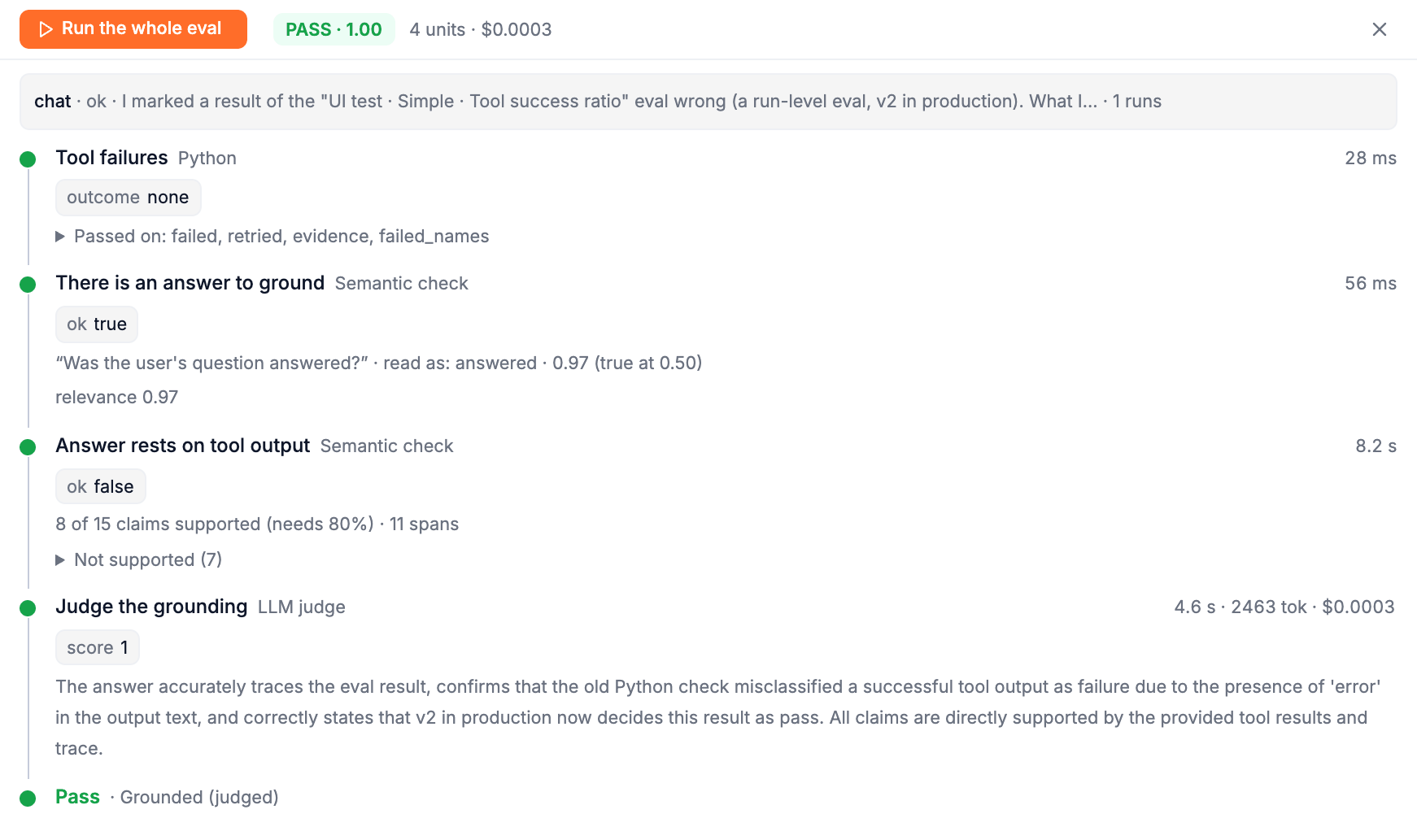
A test writes nothing and is never billed as an eval, but a judge step really calls your provider, so it costs what one call costs. Try a few runs you know are good and a few you know are bad.
Turn it on
Open Settings in the editor and set Enabled to On. From now on every new run that matches the filters is scored. Past runs are not, unless you re-score history.
Read the results
Go back to the eval (the breadcrumb, or Evals → the eval). An eval opens on its results: every verdict, newest first, with the path it took. Open one to see each step's answer and the judge's reasoning.
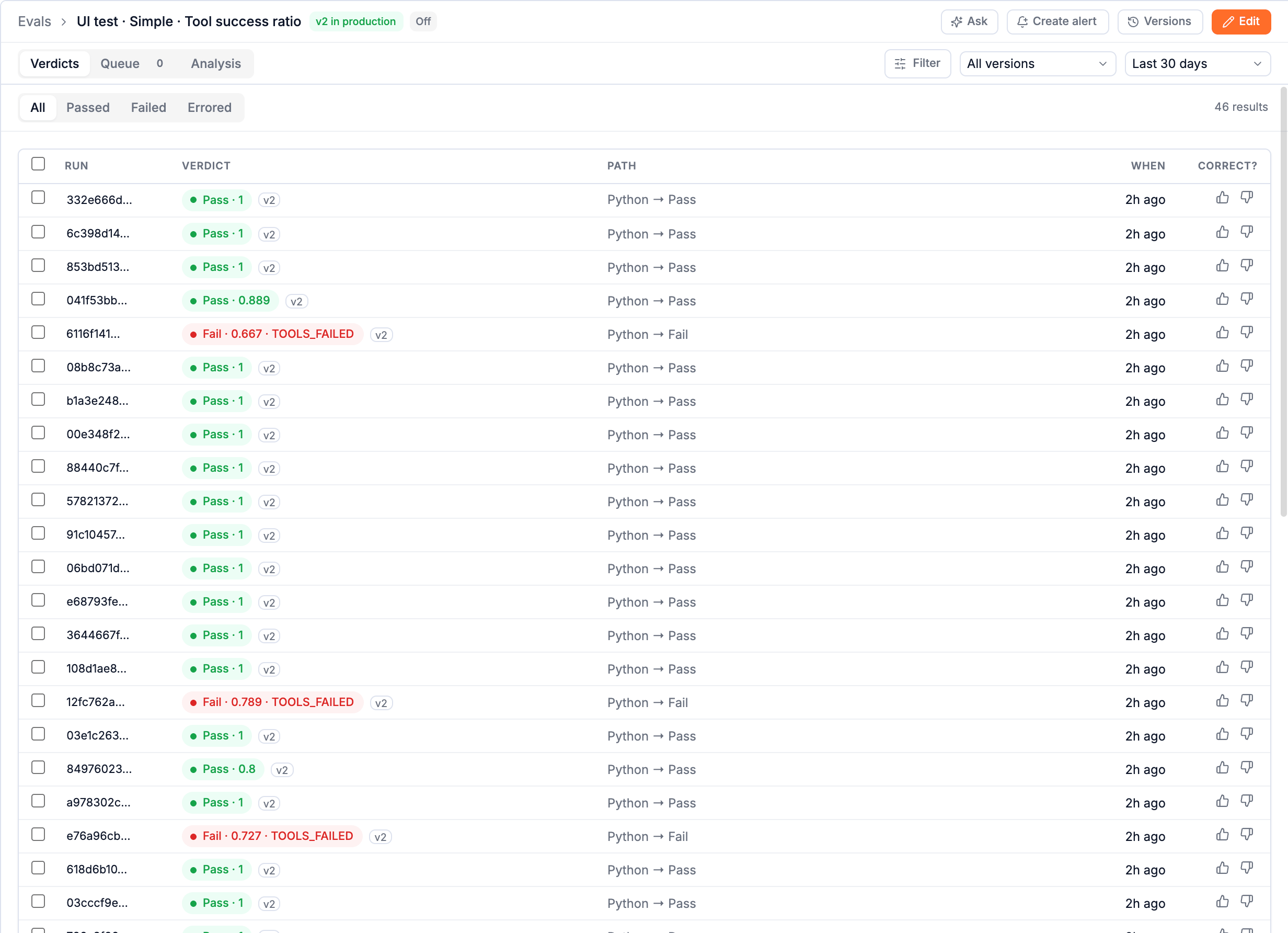
If the eval got one wrong, click 👎 on it, say what it should have been and why. Lucid opens beside the page with that result ready to investigate. See Marking results wrong.
Next
Overview
Evals score every run, span and conversation your agent produces. Cheap checks first, a judge or a person only where one is needed, and a proposed fix for what they catch.
Concepts
The words evals are built from: levels, steps, answers and routes, endings, results, versions and production. Plus how to name things.