What Lucid is
Lucid answers questions about your agents from their traces: quick answers with charts, deep research reports, and the evals, alerts, issues and fixes its findings call for.
Lucid is the analyst inside Trodo. Ask it a question about your agents in plain words and it answers from your traces, with the numbers, charts and runs behind the answer. When it finds a problem, it can file the issue, write the eval or propose the fix, and you approve what changes.
It sits after evals and issues in the loop: evals score every trace, failures and issues group what went wrong, alerts watch the numbers, and Lucid investigates why, files what it finds and proposes the change that fixes it.
Open it from Lucid at the top of the app's sidebar.
Two modes
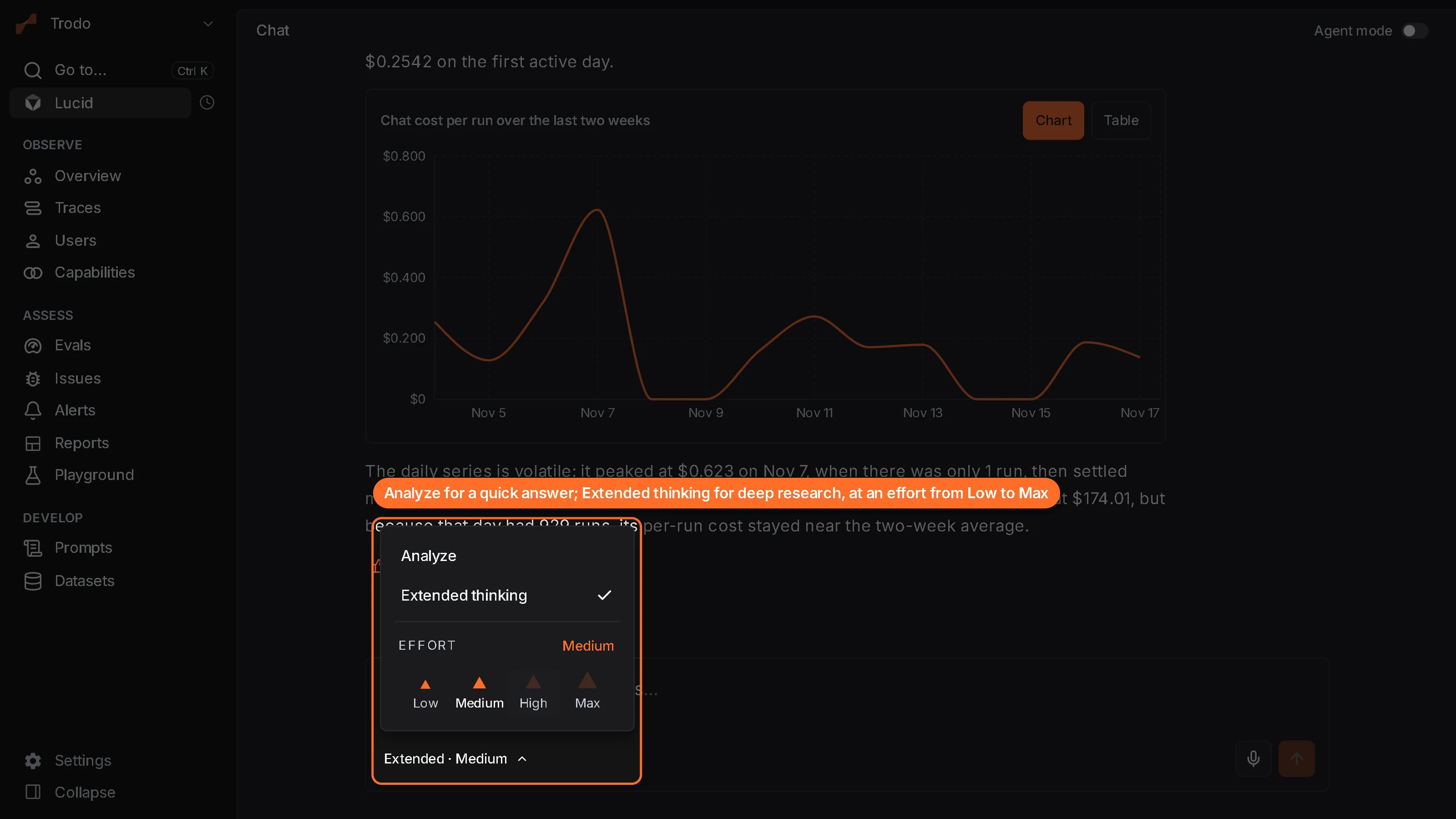
The chip under the message box picks how hard Lucid works on the next question.
| Mode | What you get | Use it for |
|---|---|---|
| Analyze | A quick answer, usually in under a minute: a headline sentence, then charts, tables and the runs it read. | A number, a ranking, a trend, a comparison, "why did this fail". |
| Extended thinking | Deep research: Lucid plans the investigation, runs several lines of it in parallel, checks its own findings, then writes a report. Takes minutes. | "Investigate why latency rose", "what do the worst runs have in common". |
Extended thinking has an Effort: Low, Medium, High or Max. Low is a focused pass over the most relevant runs; Max reads every relevant run and span. Higher effort takes longer and costs more.
If a deep question is vague, Lucid asks one question with real options from your data before it starts. A specific one starts straight away.
What it can reach
Lucid sees only your team's data, and everything it does runs as your team.
| What Lucid does with it | |
|---|---|
| SQL over your traces | Writes one read-only SELECT at a time over your team's runs, spans, feedback, eval results, issues, alerts, prompts and datasets. Each query is parsed before it runs (anything but a single SELECT is refused), runs on a read-only database login scoped to your team, and is capped in rows and time. |
| Runs, spans and conversations | Reads their actual input and output, a whole conversation in order, and finds runs by keyword and meaning together, or runs similar to one you point at. |
| Themes across many runs | Reads a sample of runs, labels them, groups the labels, then counts each group over all runs, so a theme comes with how often it happens. |
| Python | Computes over the data it fetched (percentiles, outliers, joins) in a sandbox, rather than doing arithmetic in its head. |
| The web | Searches the public web and reads public pages, for things your traces can't answer: a provider outage, what an SDK error means. |
| Evals | Reads their definitions, results and failures; creates and improves evals. |
| Alerts | Reads what is watched and what fired; proposes new alerts. |
| Issues | Reads issues and their evidence; files new ones, adds evidence, proposes merges. See Issues. |
| Datasets | Reads and analyzes rows; proposes datasets, sources and Expected values. |
| Reports | Builds and edits reports beside the chat. |
| Agents and routines | Proposes agents and scheduled questions. |
What Lucid can change without asking, and what it only proposes, is on Approval cards.
Where you can ask from
- The Lucid page. A full-page chat.
- Ask Lucid in a run, span or conversation drawer, on an eval's results, and on a user's profile. It opens Lucid in a side panel with the question started and the item named, and doesn't send until you do.
- File issue on a failure group drafts the request to file it as an issue. See Failures.
- Create with Lucid in the New eval dialog.
Lucid opened beside a page shows Aware of your screen: it knows which page, time range and filters you're looking at. Remove the chip to ask without them.
What you get back
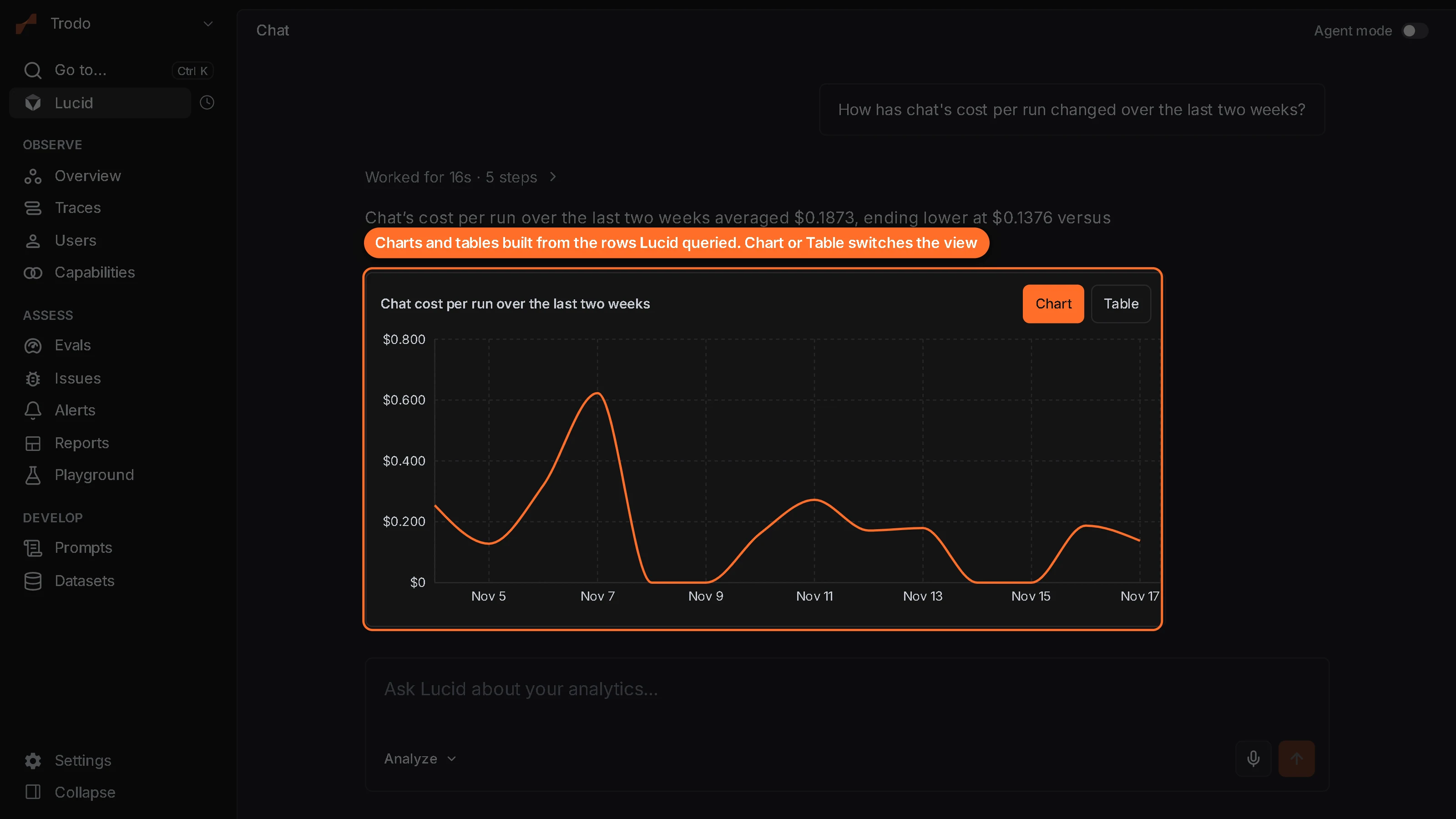
A quick answer leads with one sentence that answers the question. Charts, tables, KPI tiles and records follow, each built from rows Lucid queried. A chart switches between Chart and Table; hover it for Add to report, which puts it on one of your reports as a live card. Worked for … · N steps above the answer opens every query and tool call Lucid made.
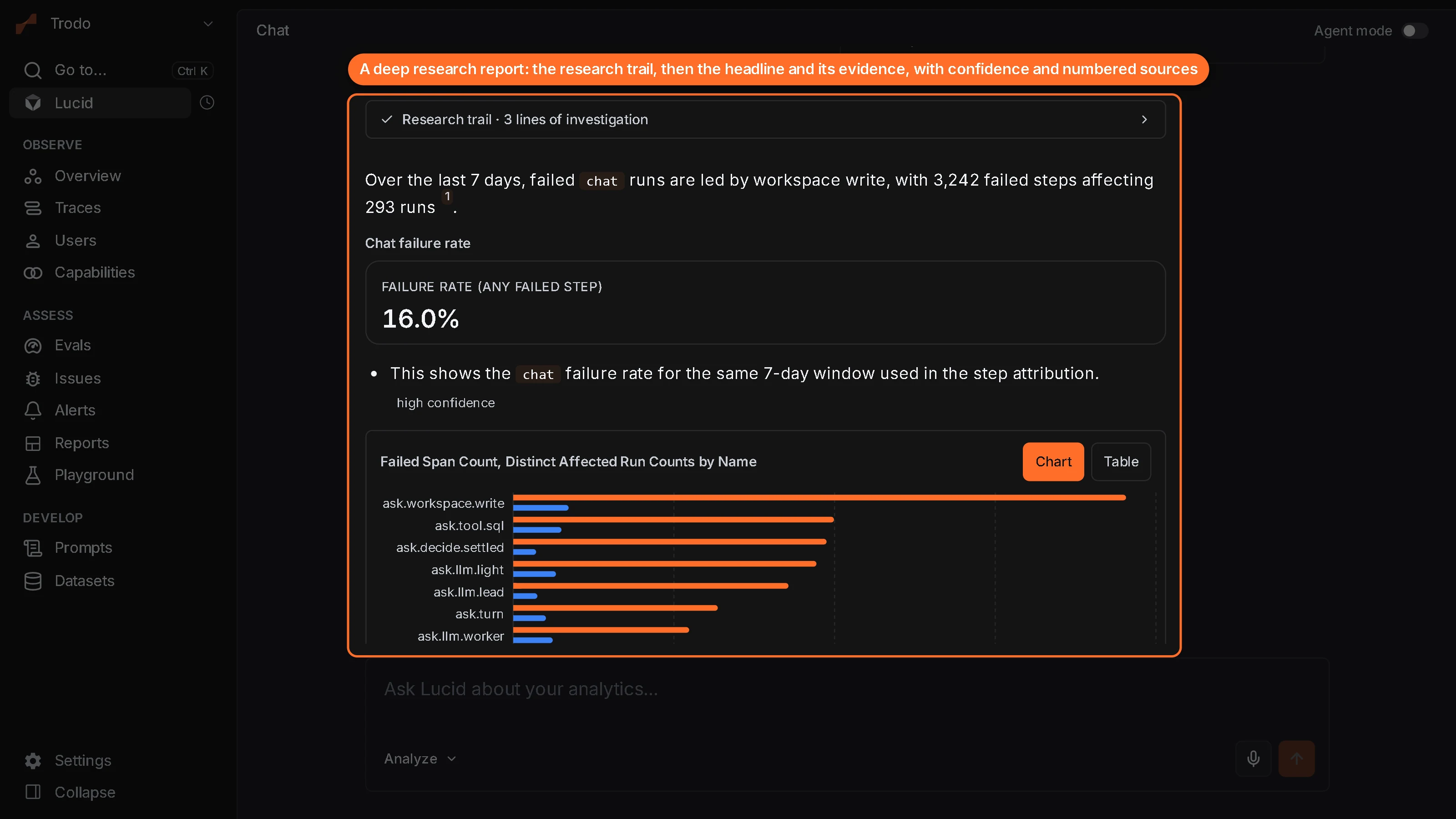
A deep report opens with its Research trail, then a headline, findings marked with their confidence, numbered sources, what to do next, and Sources at the end. Every figure in it was computed by a query the run made; a claim Lucid couldn't confirm is left out, not guessed.
When a name in your question could mean several things, Lucid asks which one you meant, with options from your data. See Memory & context.
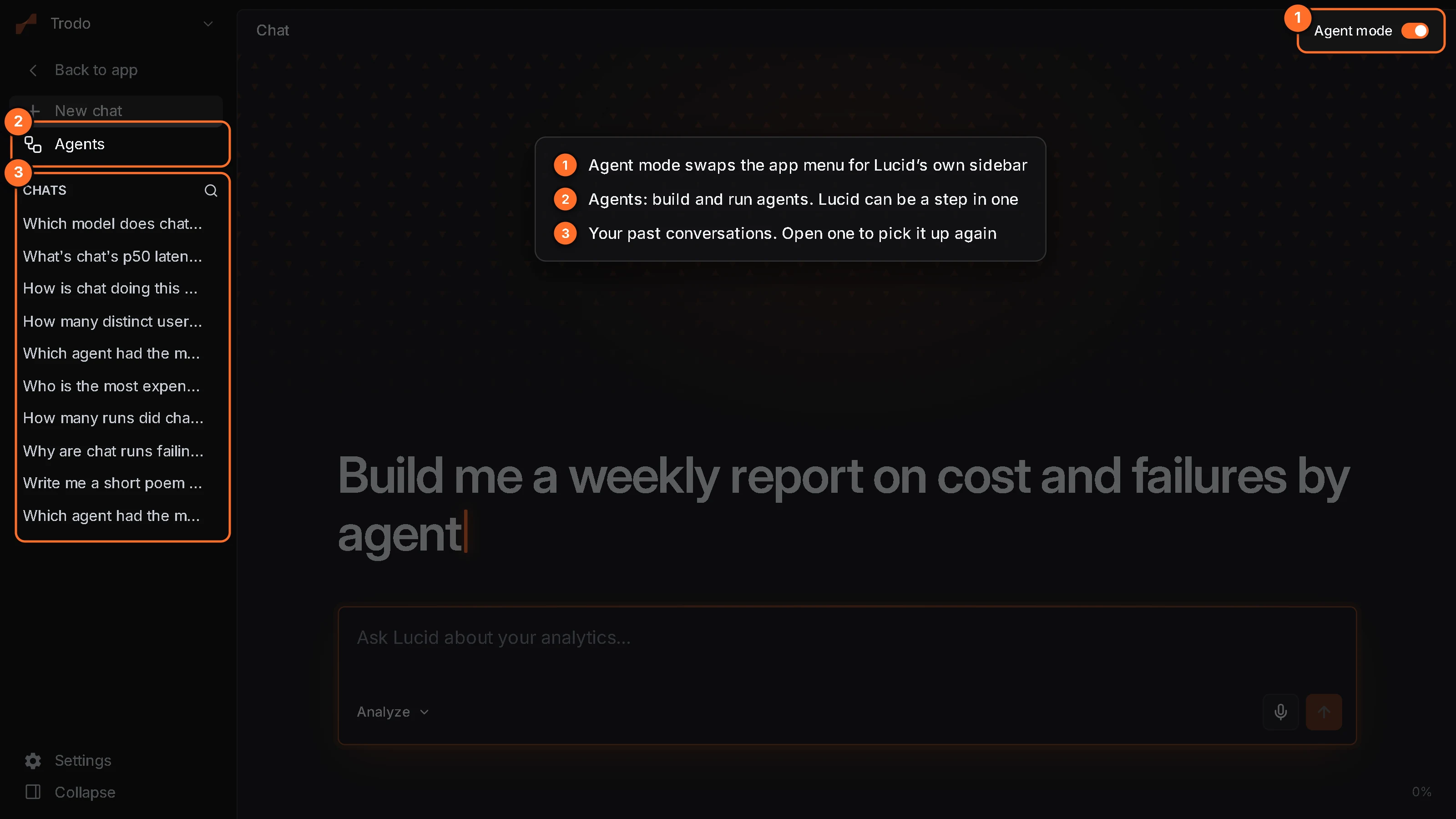
Follow-ups keep the thread: "and last week?" or "split that by user" reuses the subject, filters and window of the answer before. To pick up an earlier conversation, click the clock (Chat history) beside Lucid in the sidebar, or turn on Agent mode: it swaps the app's menu for Lucid's own sidebar, with your chats and your agents.