
Model, tools & output format
The model config, tool definitions and output format a version stores beside its messages: how to set them in the editor, what Trodo checks, and how your code reads them back.
A version stores more than messages. Its model config, tools and output format are saved with it, so changing the model or the temperature ships as a new version like any wording change. Trodo never calls a model with them: compile hands them back unchanged, and your code passes them to your provider.
Open each from the buttons under the messages.
Model config
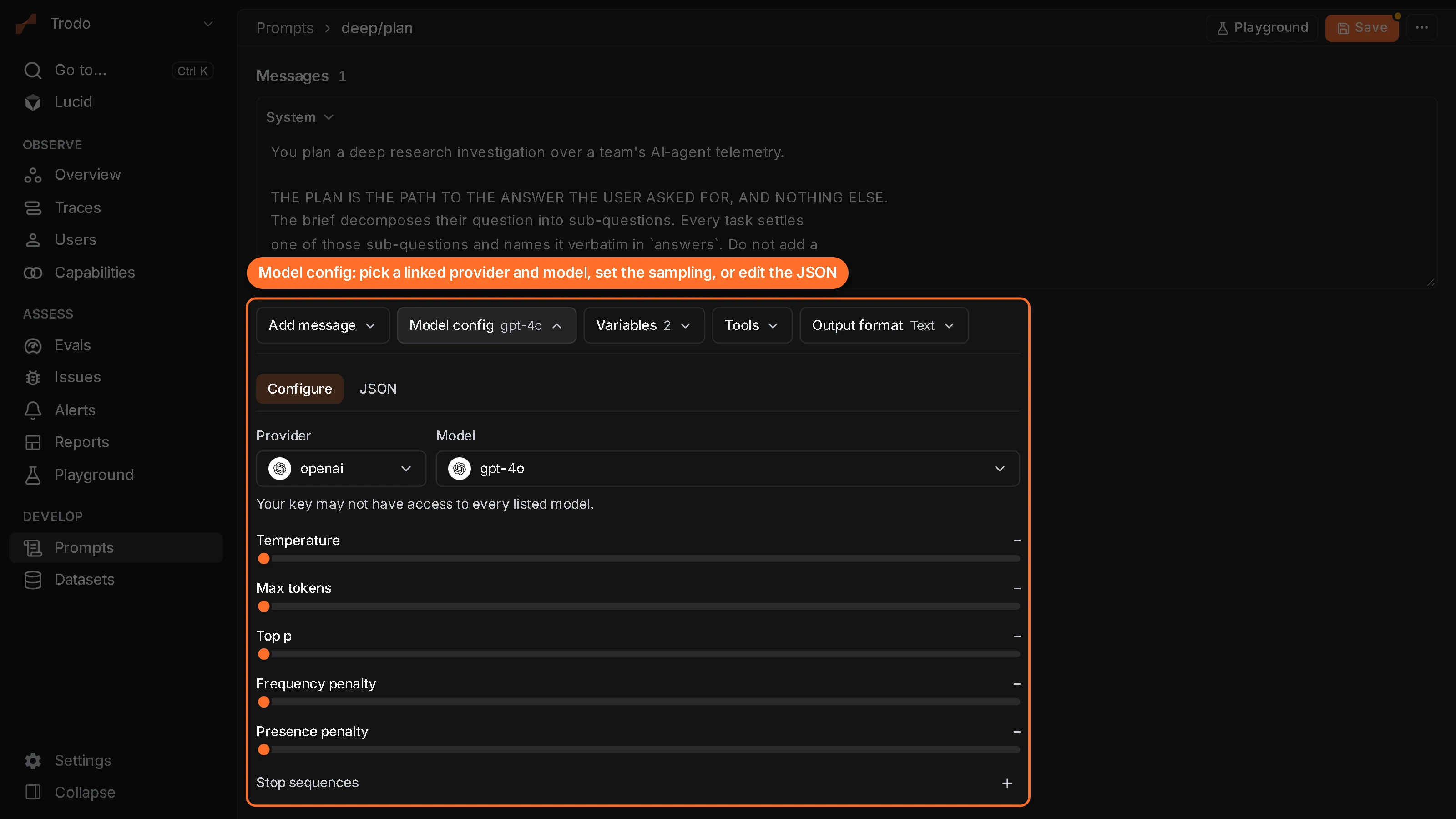
Model config has two tabs that edit the same object:
- Configure: pick a Provider from the ones linked in your team, then a Model from that provider's catalog, and set Temperature, Max tokens, Top p and Stop sequences. OpenAI-style providers also get Frequency penalty and Presence penalty. The catalog lists what the provider publishes, so your key may not reach every model in it.
- JSON: the raw object, for anything the form doesn't cover: a model your code names differently, a deployment name, a newer setting. Keys the form doesn't know are kept, and the form lists them under Also set in JSON.
No linked providers? The form says so; add a key under Integrations, or write the model in JSON.
The model config must be a JSON object; what's in it is up to you, and it comes back exactly as saved. These keys are the common ones:
{
  "provider": "openai",
  "model": "gpt-4o",
  "temperature": 0.2,
  "max_tokens": 1024,
  "top_p": 1,
  "stop": ["\n\nUser:"]
}
Every key is optional, provider and model included, so read them with a fallback in your code (model.model ?? 'gpt-4o').
const { messages, model } = prompt.compile({ question });

await openai.chat.completions.create({
  model: model.model ?? 'gpt-4o',
  temperature: model.temperature,
  max_tokens: model.max_tokens,
  messages,
});
compiled = prompt.compile(question=question)
openai.chat.completions.create(
model=compiled.model.get("model", "gpt-4o"),
temperature=compiled.model.get("temperature"),
max_tokens=compiled.model.get("max_tokens"),
messages=compiled.messages,
)Tools
Tools is a JSON list of tool definitions, written in the format of the provider you call: OpenAI nests the schema under function.parameters, Anthropic uses input_schema, and so on. It must be a list of objects; Trodo doesn't check what's inside them, and returns them as saved.
[
  {
    "type": "function",
    "function": {
      "name": "get_order_status",
      "description": "Look up an order",
      "parameters": {
        "type": "object",
        "properties": { "order_id": { "type": "string" } },
        "required": ["order_id"]
      }
    }
  }
]
compile returns the list as tools. Pass it to your provider and run the tool calls in your code: Trodo stores the definitions, not the handlers.
const { messages, model, tools } = prompt.compile({ question });

await openai.chat.completions.create({ model: model.model ?? 'gpt-4o', messages, tools });
compiled = prompt.compile(question=question)
openai.chat.completions.create(
model=compiled.model.get("model", "gpt-4o"),
messages=compiled.messages,
tools=compiled.tools,
)Output format
Output format sets what shape the answer must take:
| Choice | Stored as | What it is |
|---|---|---|
| Text | null | No constraint. |
| JSON | { "type": "json_object" } | Valid JSON, any shape. OpenAI requires the word "JSON" in a message for this mode. |
| Structured | { "type": "json_schema", "json_schema": { ... } } | The answer must match a schema. |
Choosing Structured opens a schema editor, starting from a small schema that works in OpenAI's strict mode. json_schema takes name and schema (both required), and optionally description and strict:
{
  "type": "json_schema",
  "json_schema": {
    "name": "refund_decision",
    "strict": true,
    "schema": {
      "type": "object",
      "properties": {
        "approved": { "type": "boolean" },
        "reason": { "type": "string" }
      },
      "required": ["approved", "reason"],
      "additionalProperties": false
    }
  }
}
compile returns it as response_format:
const { messages, model, response_format } = prompt.compile({ question });

await openai.chat.completions.create({
  model: model.model ?? 'gpt-4o',
  messages,
  response_format: response_format ?? undefined,
});
compiled = prompt.compile(question=question)
openai.chat.completions.create(
model=compiled.model.get("model", "gpt-4o"),
messages=compiled.messages,
response_format=compiled.response_format,
)Variables & templating
Variables are found in your messages and filled in by compile, with an optional default each. Placeholders insert a list of messages, sections loop over lists, and \{{…}} writes braces literally.
Fetch in production
Fetch a prompt with get, fill it with compile, pick a label or an exact version, and keep the fetch off your critical path with caching and a fallback.