
Heal
Hand an issue to a cloud coding agent (Claude Code or Cursor). It investigates with Trodo, writes a fix, and pushes a branch you review and merge.
Heal turns an issue into a fix. You hand an issue to a cloud coding agent (Claude Code or Cursor); it pulls the issue's context from Trodo, investigates your code, writes a fix, and pushes a branch. You review it and open the pull request.
The loop
Start healing
Send an issue (or a custom description) to your connected coding agent.
Investigate
The agent reads the issue and its runs through the Trodo MCP server, then edits code.
Branch
It pushes a fresh trodo/heal-… branch and reports the change back to Trodo.
Review & merge
You open the PR from Trodo, review, and merge. The session tracks it to done.
The agent never opens a PR or merges on its own. It only ever pushes a fresh trodo/heal- branch, and you decide whether to open and merge the PR.
Before you start
You need two things connected:
- A coding agent: Claude Code or Cursor (connect one, or both and pick per heal).
- GitHub: so opening and merging the PR updates the heal session.
Connect a coding agent
Both agents are connected the same way: create an automation on the agent's side that uses the Trodo MCP server, then paste its endpoint and token into Trodo under Integrations → AI Agents.
Create a routine. In Claude Code, create a new routine and give it a name.
Configure it. Paste the system prompt Trodo shows you on the integration page (it tells the agent to investigate via Trodo, only ever push a fresh trodo/heal- branch, and never open a PR). Choose a model and select the repository it should work in.
Set the trigger to API, and add the Trodo MCP server to the routine's connectors. (If you haven't connected Trodo's MCP yet, do Integrations → MCP first.)
Copy the routine's API endpoint URL and API token.
Paste them into Trodo under Integrations → Claude Code, then Save and Verify connection.
Create an automation at cursor.com/automations and give it a name.
Set the trigger to Webhook, and pick the repository and base branch.
Configure it. Paste the system prompt Trodo shows you on the integration page, choose a model, and add the Trodo MCP server as a tool.
Copy the webhook URL, and get a Cursor API key from cursor.com/settings.
Paste them into Trodo under Integrations → Cursor, then Save and Verify connection.
Connect GitHub
Install the Trodo GitHub App on the repository the agent pushes to (or add a webhook to your Trodo backend's /api/webhooks/github). Trodo only acts on branches that start with trodo/heal-. When you open or merge the PR for a heal branch, the matching heal session moves to PR opened, then merged or closed.
Run a heal
Open the Heal page and click Start Healing.
Pick the agent (if you connected both), then choose an existing open issue (it's set to acknowledged) or describe a custom issue in free text.
Add any extra instructions (for example "keep the change minimal" or a file to focus on), then trigger.
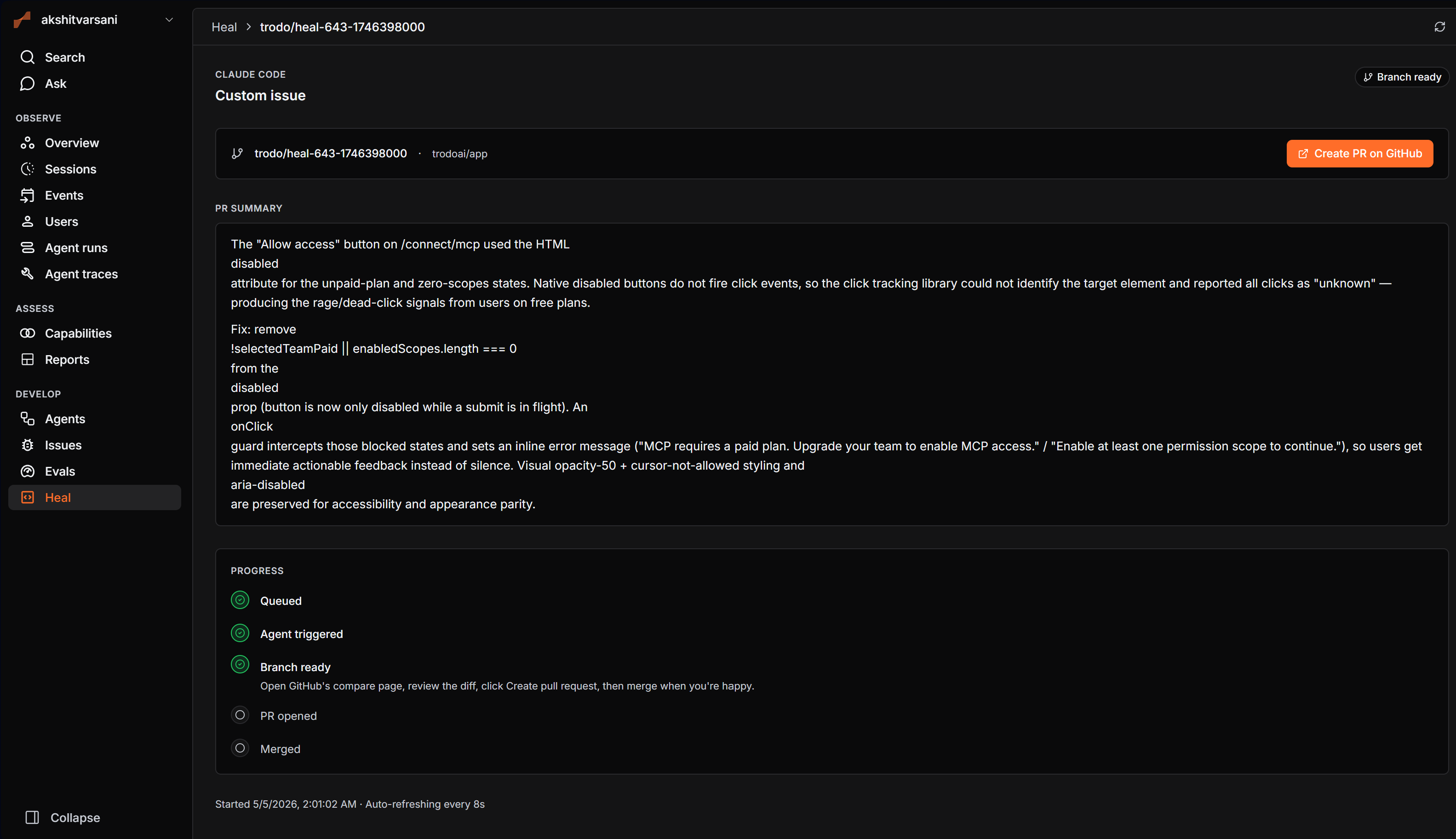
Wait for the branch. The agent investigates and pushes a trodo/heal-… branch; the session moves to branch ready with a summary of the change.
Review and open the PR. Click Create PR on GitHub, review the diff, and merge. The session tracks the PR to done.