
Sign in
Connect the CLI to your teams: trodo login in the browser, switching between teams, a key for CI, and what a key can do.
In the browser
trodo loginThe terminal shows a code and opens the app's Connect the Trodo CLI page. Check that the page shows the same code and which terminal asked, choose the Team, and press Connect. The page then says Terminal connected, and you can close it.
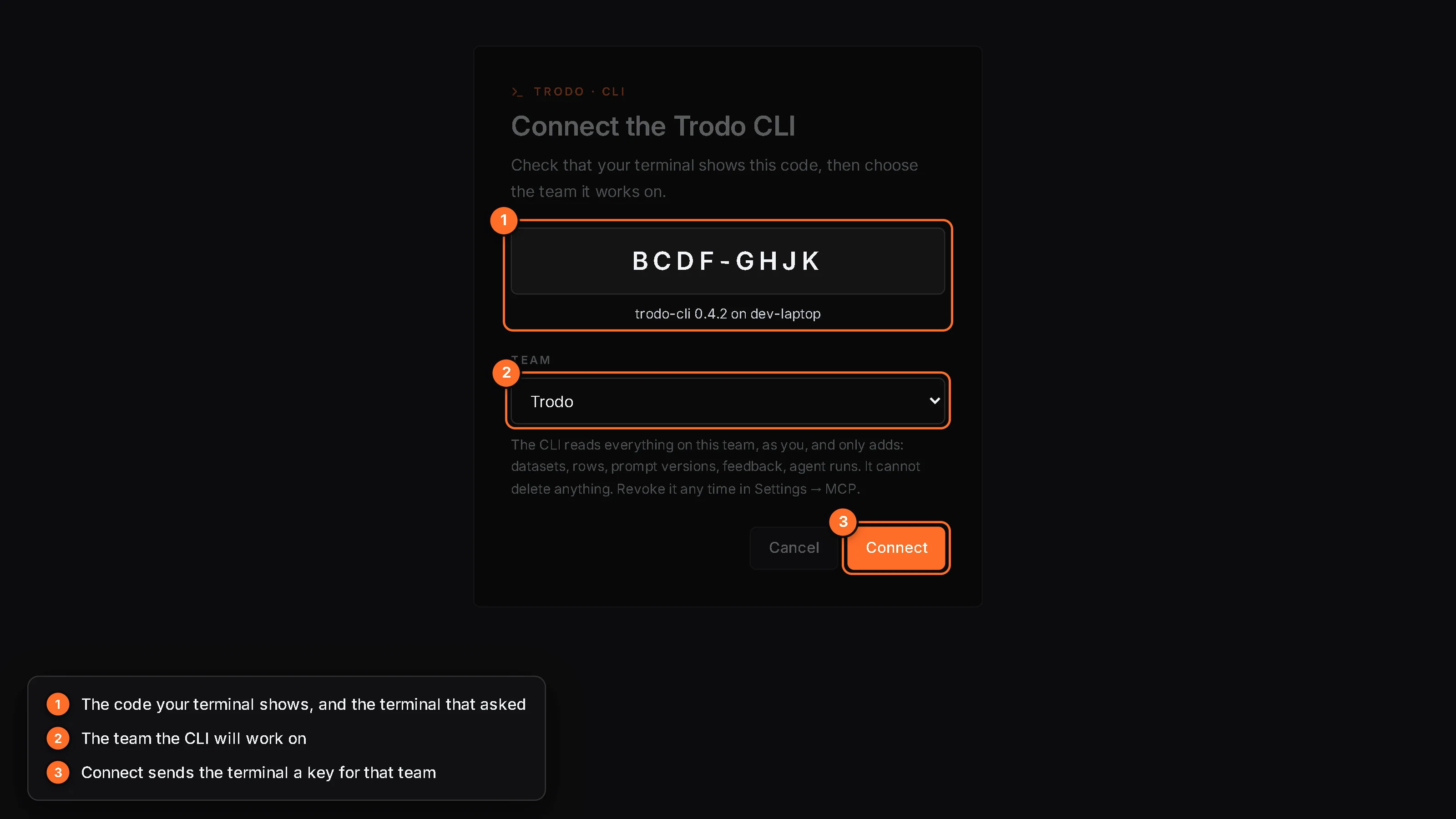
The terminal receives a key made for you on that team and saves it to ~/.trodo/config.json, readable only by you.
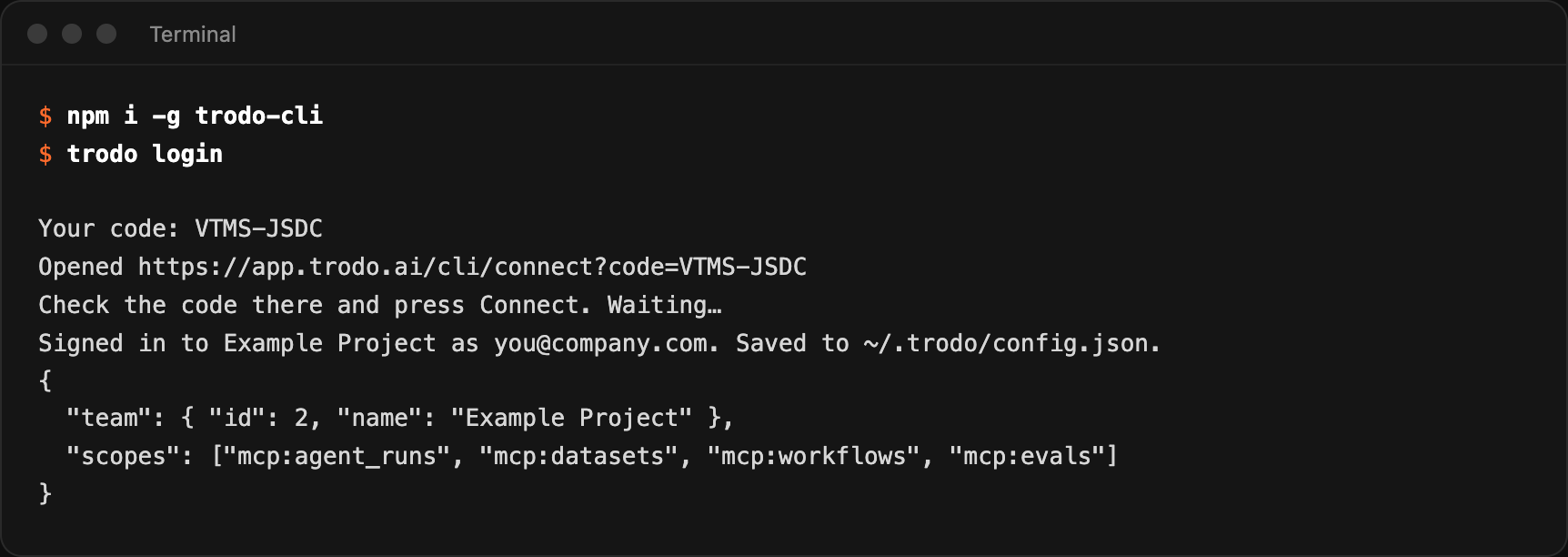
- The code works for 10 minutes and only once.
--no-browserprints the link instead of opening it (a remote machine, a container).- Cancel on the page refuses the sign-in; the terminal says so and stops.
Teams
Everything in Trodo belongs to a team, and so does a key: one key reaches one team. The CLI keeps a key for every team you sign in to and uses one at a time.
trodo login                     # add a team: choose it on the Connect page
trodo teams --table             # the teams this terminal is signed in to; * is the current one
trodo switch "Acme staging"     # every command uses that team from now on
trodo runs list --team Acme     # or pick a team for one command, by name or id
trodo logout                    # forget the current team's key (logout TEAM, or --all)
Signing in to a team you already have replaces its key. TRODO_API_KEY overrides all of this, for CI.
With a key (CI, scripts)
export TRODO_API_KEY=trodo_mk_...
trodo whoami
Or save one: trodo login --key trodo_mk_.... Keys are listed, made and revoked in Settings → MCP: the CLI and MCP use the same keys.
| Variable | Default |
|---|---|
TRODO_API_KEY | the key saved by trodo login |
TRODO_API_URL | https://api.trodo.ai |
TRODO_CONFIG | ~/.trodo/config.json |
What a key can do
A key acts as the person who made it, on its own team, with its scopes. Every check the app makes for that person applies: team membership, viewers cannot write, the example project is read-only. A request cannot reach another team, even one the person belongs to.
| Scope | Commands |
|---|---|
mcp:agent_runs | traces, runs, spans, conversations, evals list |
mcp:evals | evals get, explain, steps, verdicts, verdict, mark, queue, review, grade, pull, test, push, promote |
mcp:datasets | datasets |
mcp:prompts | prompts |
mcp:issue | issues |
mcp:workflows | agents |
A key made by trodo login has all six. A command whose scope the key lacks fails with missing_scope and the scope's name: run trodo login again for a key that has it.
trodo whoami     # team, person, key prefix and scopes
trodo logout # forget the current team's key (revoke it in Settings → MCP)Overview
The trodo command line: read and measure traces, see why evals failed, build and label datasets, manage prompts and issues, run agents, and export fine-tuning files from a terminal, a script, CI or a coding agent.
Filters
The filter flags every traffic command takes: time, agents, any Traces property, and eval results down to what one step of an eval answered.