
Funnels
Step-by-step conversion with a conversion window, drop-off at each step, and time to convert.
A funnel measures how many users complete a sequence of steps, where they drop off, and how long conversion takes.
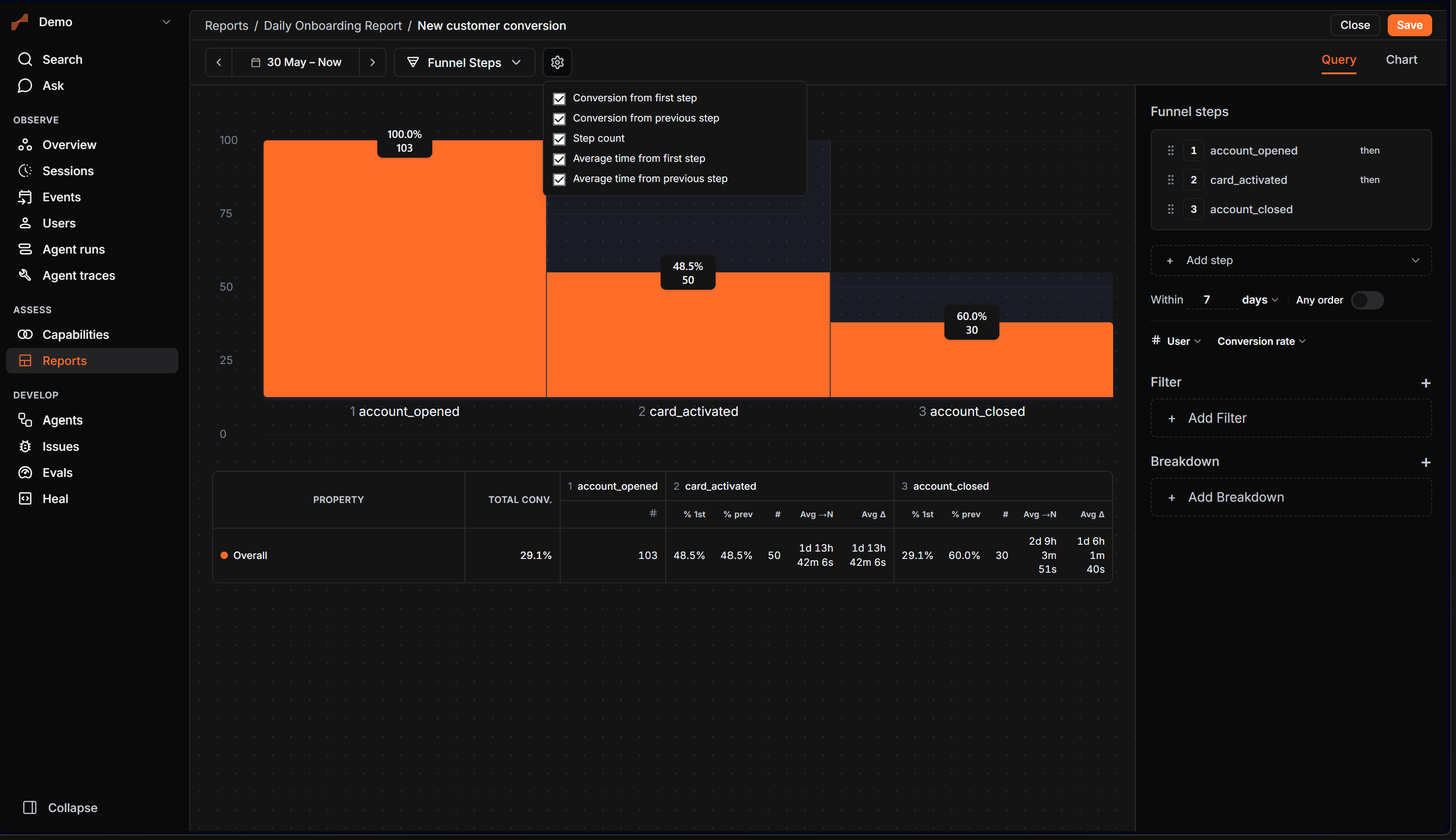
Steps
Each step is an event, optionally filtered. Add as many steps as the journey needs. The first step can use a first time only filter so you count users on their first occurrence of that event.
Conversion window
A user converts only if they complete the steps within the conversion window. The default is 7 days. You can set the window in seconds, minutes, hours, days, weeks, months, or per session.
Order
- Sequential (default): steps must happen in order.
- Any order: the steps can happen in any order within the window (needs at least two steps).
What you measure
Pick the funnel's measure:
| Measure | Shows |
|---|---|
| Conversion rate | Percent of users who reach each step. |
| Unique users | Distinct users at each step. |
| Total conversions | Total completions. |
| Total sessions | Sessions that converted. |
| Time to convert | How long conversion took (average, median, percentile, min, or max). |
Each step reports its count, conversion rate, conversion from the first step, and average time from the first and previous steps. Click a step to drill into the users at that point.
Charts: Funnel Steps, Line, Bar, Metric (Funnel Steps is replaced by the others when you measure time to convert).