
Creating evals
Three ways to start (a template, from scratch, or by describing it to Lucid) and every setting on the create page.
Click New eval on the Evals page. The pop-up offers three ways to start:
| When | What happens | |
|---|---|---|
| A template | What you want is a common check: hallucination, tool errors, safety, latency, frustration. | The create page opens filled in from it. See Templates. |
| Start from scratch | You know what you want to build. | A blank create page. |
| Create with Lucid | You can say what you want but not how to build it: catch answers that make up numbers. | Lucid opens beside the page, reads your traces, asks what it can't see for itself, and builds it. See Evals with Lucid. |
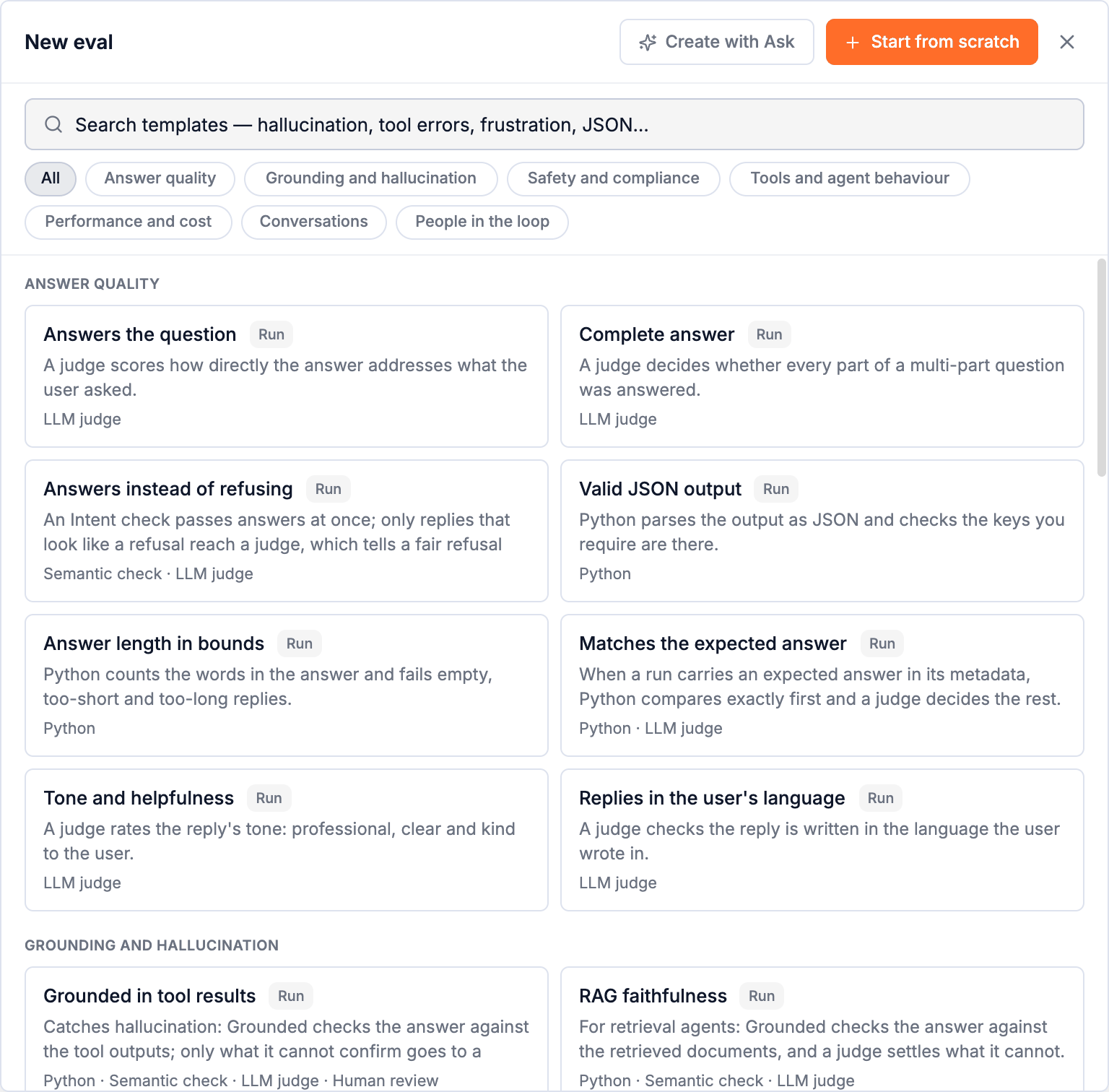
The create page
| Setting | |
|---|---|
| Name | What passing means, Answer rests on tool results. See naming conventions. |
| Description | Optional. What a pass means, in a sentence. |
| Target | The level it scores: Run, Span or Conversation. Fixed once created, because the steps read that level's fields. |
| Filters | Which traces of that level are scored: one agent, one span name, a metadata key. Empty means all of them. See Filters. |
| Sampling | Every run, or A share of them. See Sampling. |
| Mode | Simple: one check and a rule for what passes, built right here. Triage: steps that route to each other, built on the canvas after creating. |
| Re-score history when production changes | Off, or re-score the last N hours, days or runs whenever a new version goes into production. See Re-score history. |
Self-improving is set up after the eval exists, from its settings. See Self-improving evals.
Simple
Pick the Eval type (LLM judge, Semantic check, Python or Human review), set it up, then say what passes.
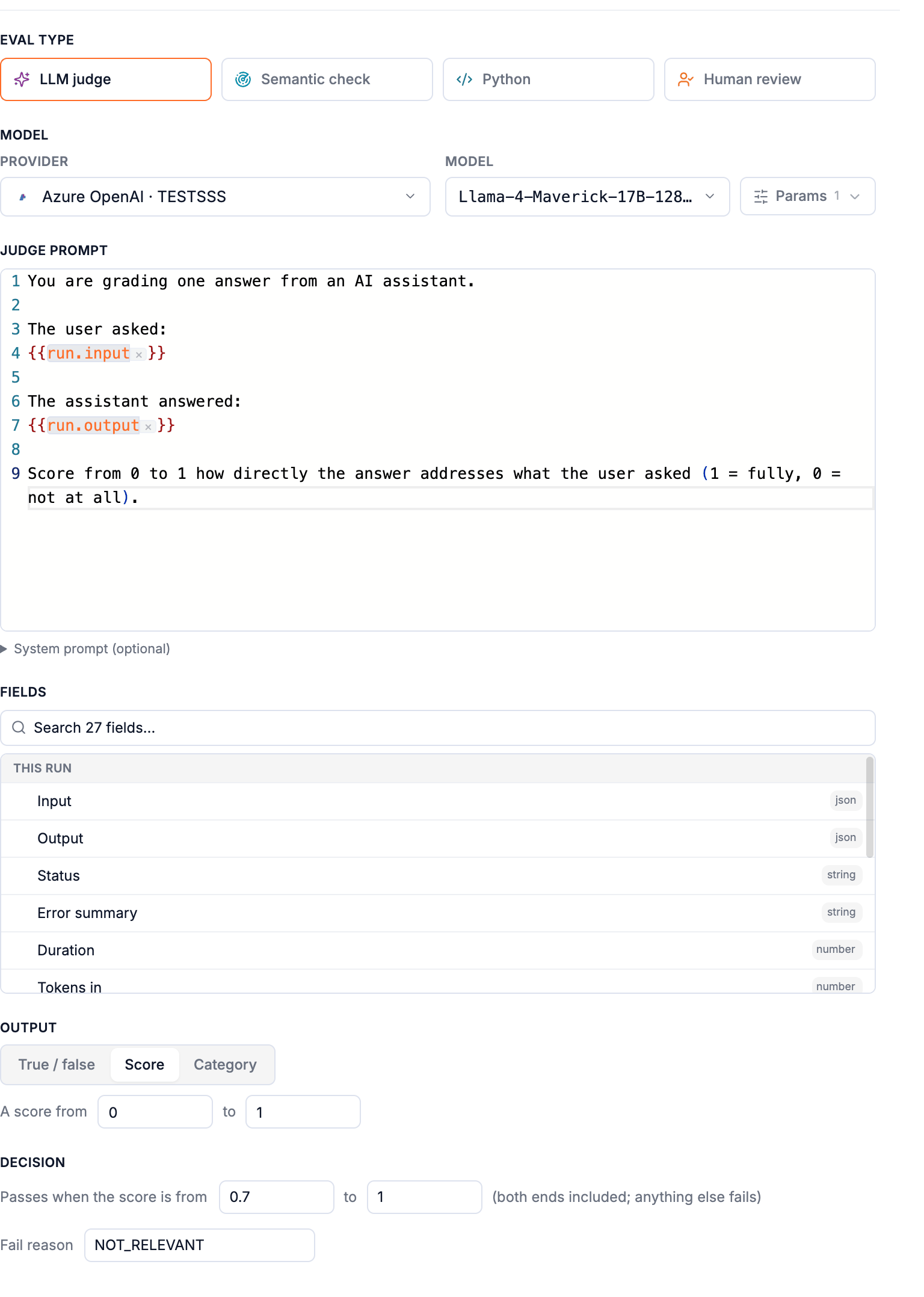
| Section | |
|---|---|
| Output | True / false, Score (a score from … to …) or Category (the options). Fixed for Semantic checks (true/false) and Human review (its options). |
| Decision | Passes when the answer is true; passes when the score is from 0.7 to 1 (both ends included; anything else fails); passes when the answer is one of the options you tick. |
| Fail reason | The reason code on the Fail ending: LOW_SCORE, CHECK_FAILED, NOT_ACCEPTED, or your own. |
A Simple eval scores as soon as it is created. You can open it in Triage at any time to add steps in front of the check.
Triage
A Triage eval opens in the editor with its trigger (Every run of support-bot) and two endings, Pass and Fail. Add the first step under the trigger, then build down: each step's routes lead to the next step or to an ending. It can't be turned on until it has a first step.
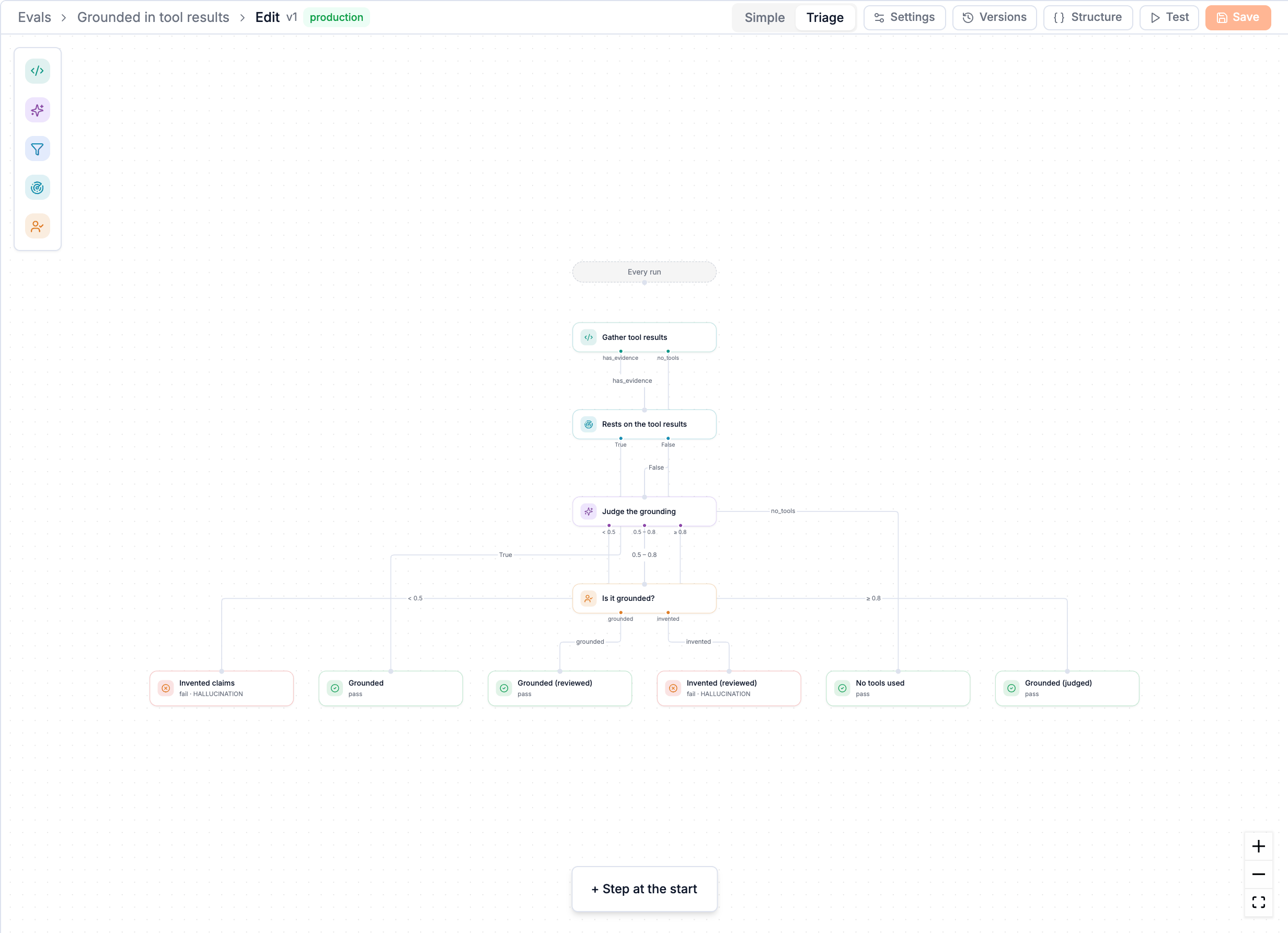
The editor's toolbar:
| Simple / Triage | Switch how the eval is edited; a one-step eval can be either. |
| Settings | Everything on the create page, plus on/off and self-improving. |
| Versions | Every version; view, restore, set as production. |
| Structure | The eval as JSON, for copying or reviewing. |
| Test | Run the eval on a real trace. |
| Save | Write a new version, with a note. |
Next: Testing and versions.
How triage works
Decide the easy cases cheaply and send only the hard ones to a judge or a person. When to use which step, and how to design an eval that is both cheap and right.
Templates
33 ready-made evals for the checks most agents need: answer quality, hallucination, safety, tools, cost and latency, conversations and people in the loop. Plus how to adapt one.