
Human review and the grading queue
Send the cases a judge can't settle to a person: the Human review step, the grading queue, how grading finishes a walk, and audit disagreements.
Some cases need a person. A Human review step parks the trace in the grading queue with your instructions; someone on your team picks an option; the walk carries on from there to its ending. Every grade is also a label: the most valuable data an eval has.
The step
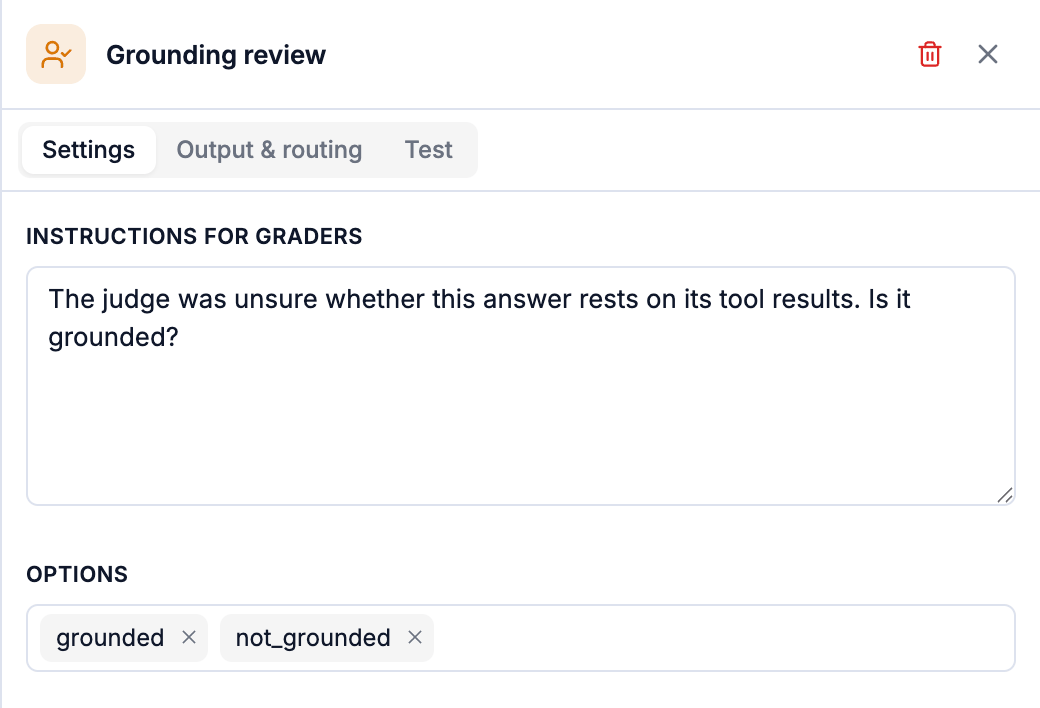
| Setting | |
|---|---|
| Instructions for graders | Shown beside the trace in the queue. Say what to look at and what each option means. |
| Options | What graders pick from, typed as tags. Each option is a route on Output & routing: grounded → Grounded (reviewed), invented → Invented (reviewed). |
Human review is never the first step: something must narrow the traffic before a person is asked. The usual place is behind a judge's unsure band, score 0.5 to 0.8 → Grounding review, so a person sees a trickle, not the flood. Turning sampling down is the other lever.
The grading queue
Open it from Evals → Grading queue (the count beside it is what's waiting) or from an eval's Queue tab.
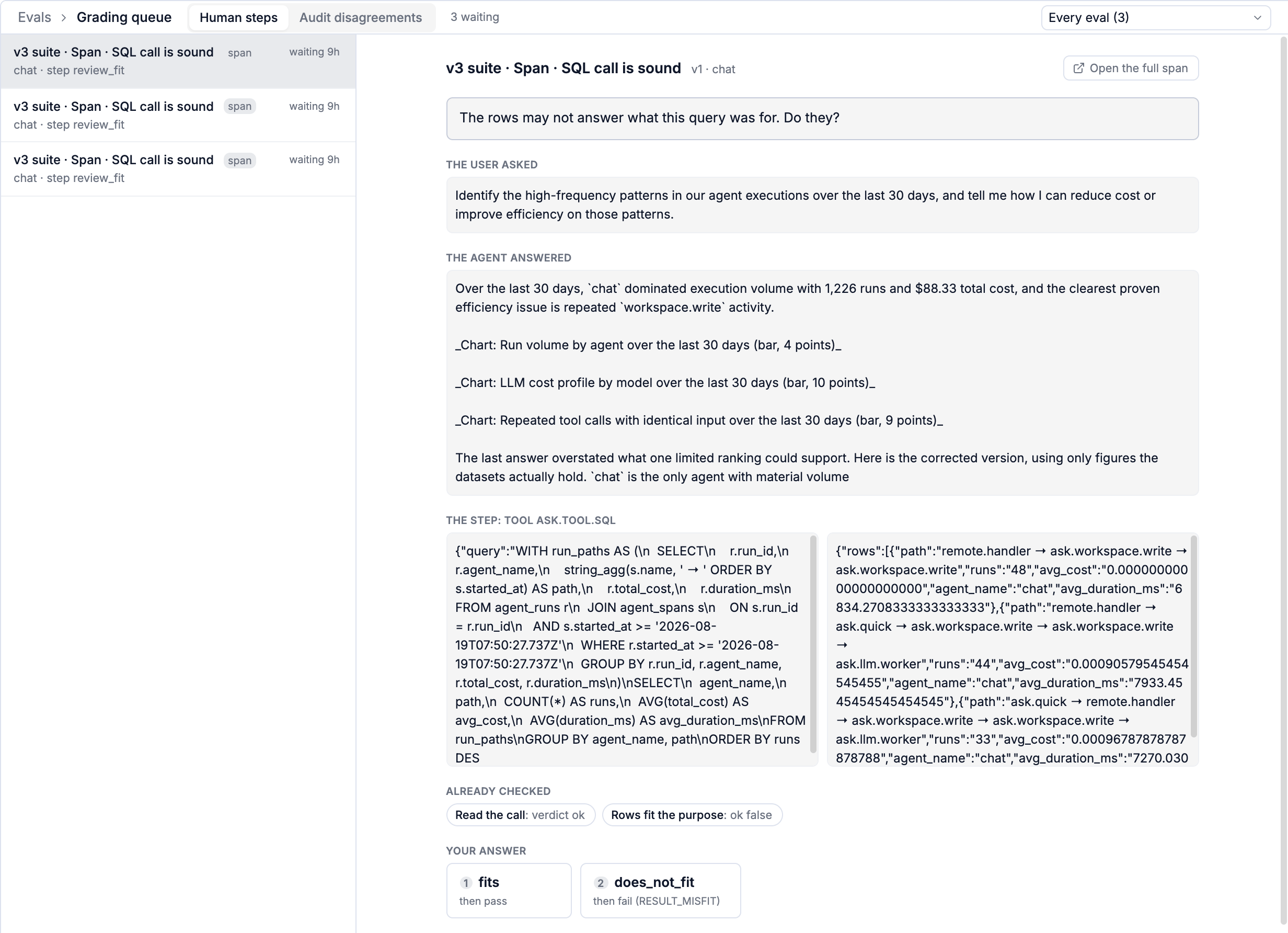
Each item shows everything a grader needs, and nothing they have to go looking for:
- the step's instructions,
- The user asked and The agent answered (or The conversation),
- the step or span being scored, input and output side by side,
- Already checked: what earlier steps of the eval decided.
- Your answer: one button per option, each saying where it leads (then pass, then fail (RESULT_MISFIT)). Keys 1 to 9 pick an option.
Picking an option finishes the walk under the same version that started it, and the result appears in Verdicts. If someone else graded it first, you're told what they picked and nothing changes.
Audit disagreements
The queue's second tab collects cases from the audit slice: traces where a cheap screen's shortcut and the full path disagreed. Rule on each, The screen was right or The full path was right, and Screen accuracy on Analysis sharpens with every ruling.
Using it well
- Write options as decisions, not scores: fits / does_not_fit, follow_up / fine.
- Say what "right" means in the instructions. Two graders with different definitions produce labels that disagree with each other.
- Grade a little every day. Grades feed self-improving: an eval whose judge keeps getting overruled gets a proposal to fix the judge.
LLM judge
A model you choose, on your own provider key, answering your prompt in a declared shape: prompts, template variables, outputs, reasoning, cost, and writing prompts that decide well.
Routing and endings
What a step answers, where each answer goes, number ranges, options, the otherwise route, and the named Pass and Fail endings every walk stops at.