
Routing and endings
What a step answers, where each answer goes, number ranges, options, the otherwise route, and the named Pass and Fail endings every walk stops at.
Every step answers in a declared shape, and its routes send each answer somewhere: to another step, or to an ending. Set both on the step's Output & routing tab.
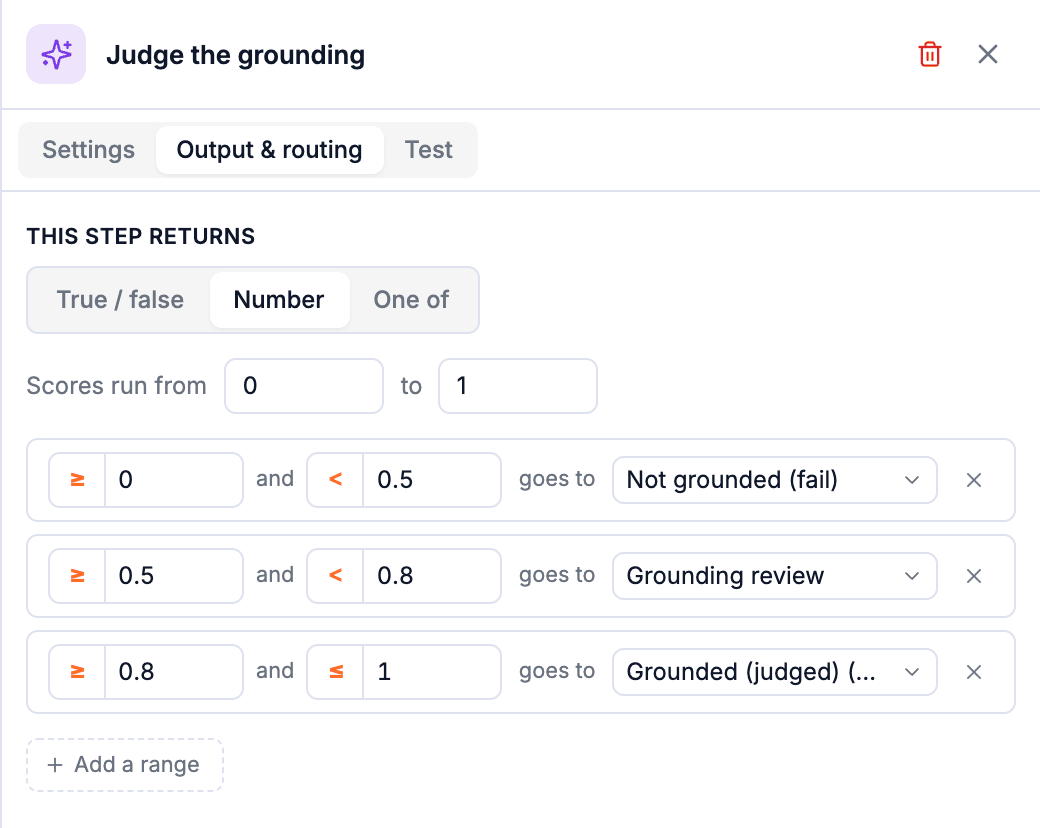
What a step returns
This step returns one of three shapes:
| Shape | Set up | Routes |
|---|---|---|
| True / false | Nothing to set. | One row for True, one for False. |
| Number | Scores run from a minimum to a maximum: a judge's 0 to 1, a latency in seconds, a count. | Ranges. Each row is a range with its own start and end; click ≥ or > (and ≤ or <) to include or exclude an end. Add a range for more. |
| One of | Options, typed as tags: press Enter to add one, × to remove it. | One row per option. |
Semantic checks and Filter steps always return true or false, and Human review always returns one of its options. For those the shape is fixed.
Ranges
Ranges must not overlap: a value that fits two ranges could go two places, so the editor refuses to save it ("Not saved until it is fixed") and says which ranges collide. Gaps are allowed and named: No range covers 0.4 to 0.5. Values there go to "Anything else", the otherwise route. Add a range if they should go somewhere of their own.
A range reads the way it will be shown on the canvas: < 0.5, 0.5 to 0.8, ≥ 0.8.
Several outputs
A Python step or a judge can return more than one field: {"score": 0.7, "tone": "ok"}. Its routing is then written as conditions, first match wins: score ≥ 0.8 → …, tone is one of rude, cold → …, otherwise → …. Conditions compare with is / is not / is one of / is not one of for options, and ≥ > ≤ < = ≠ between for numbers.
Where a route goes
Each row's goes to picks:
- a step already on the canvas,
- + New pass verdict or + New fail verdict creates an ending and connects this route to it,
- + Insert a step here…: a new step between this one and where the row used to go.
Every step has an otherwise (shown as always when it is the only route). A route can never lead back to an earlier step, so every walk ends; the canvas refuses such a line ("A step cannot lead to itself").
Endings
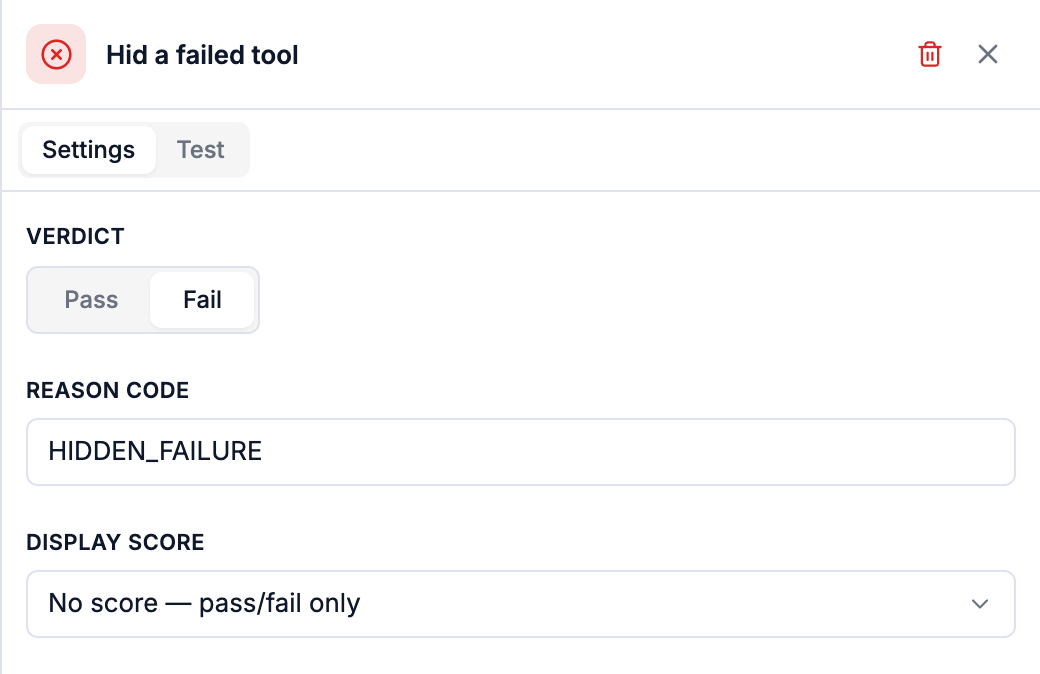
An ending is where the walk stops. Its panel has:
| Setting | What it does |
|---|---|
| Name | The name of the step, shown on every result, trace view and chart instead of a bare "Pass" or "Fail". Name it for the outcome and the way there: Grounded (judged), Recovered but did not answer. |
| Verdict | Pass or Fail. |
| Reason code | Fail only. A short tag results are grouped and searched by, typed in any case, saved as UPPER_SNAKE. |
| Display score | Optional. A number from a step on every path to this ending (usually a judge's score), shown beside the verdict: Fail · 0.31 · HALLUCINATION. |
What the editor checks before saving
Save validates the whole eval and shows problems on the step they belong to. The ones you'll meet:
- A step with no answer declared, or a range whose minimum is above its maximum.
- A route to a step that no longer exists, or a step with no otherwise.
- Two routes that could both match the same value.
- An option in a route that the step doesn't declare, or a number outside the declared range.
- A step nothing leads to, or a Human review step as the very first step.
- A step reading an earlier step that doesn't run on every path before it. See Variables.
A new Triage eval starts with just its trigger and two endings; No steps yet: add the first one below the trigger. It can be saved in that state but can't be turned on until it has a first step.
Human review and the grading queue
Send the cases a judge can't settle to a person: the Human review step, the grading queue, how grading finishes a walk, and audit disagreements.
Variables: passing data between steps
Declare what a Python step passes on, read it in a later judge as {{steps.step.key}} or in Python as t.steps.step.key, and use what earlier steps answered, with the rule for what a step can read.